This is the right pick for buyers whose real job is AI-native coding workflows, software teams, agentic development support.
AI AssistantsFree planTrial available6 plans
Cursor
Shortlist Cursor when ai-native coding workflows, software teams, agentic development support is the actual buying trigger. If that is not the job, the product becomes much easier to oversell than to justify.
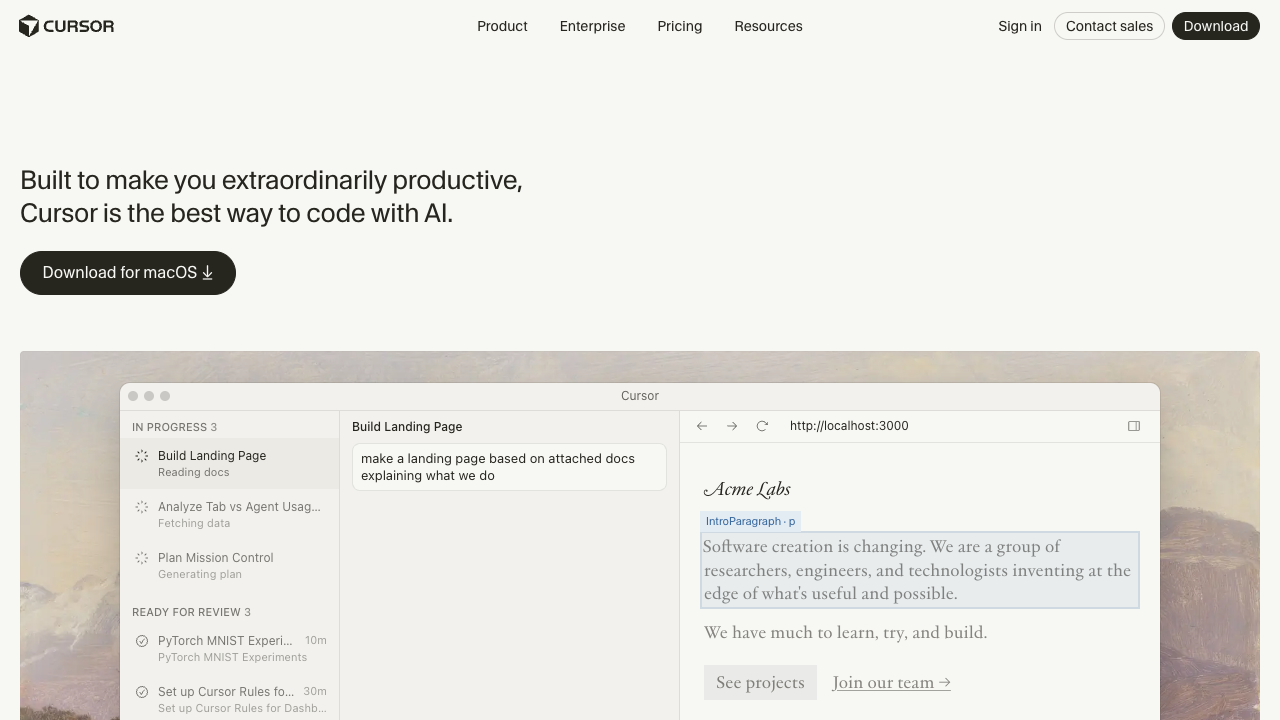
Cursor combines editor-native autocomplete, chat, agent workflows, background agents, and team controls into a coding-centric AI product. It is best framed as an AI code editor, not a broad general-purpose assistant with some coding features.
Starting price$20/month
CompanyAnysphere
PlatformsMac, Windows, Linux
Best forAI-native coding workflows, software teams, agentic development support
This is the wrong buy if Cost-conscious reasoning, coding help, model experimentation matters more than AI-native coding workflows, software teams, agentic development support. DeepSeek is the stronger fit.
Cursor starts at $20/month, but the real decision is whether the paid tier unlocks the capability level you actually need.
Editorial Score
Strong shortlist pick
Cursor looks strong when the shortlist is driven by workflow fit and practical feature depth.
Reasoning8.7/10
Workflow depth9.4/10
Integrations9.0/10
Value8.4/10
Our Verdict
Who should actually buy Cursor?
Cursor only makes sense once the buying decision is framed around ecosystem fit. If the real job is AI-native coding workflows, software teams, agentic development support, it has a case. Buyers who mainly care about Cost-conscious reasoning, coding help, model experimentation should look harder at DeepSeek.
Narrower outside software development. That is exactly where the profile is soft: value.
DeepSeek is the better alternative if you care more about value and need Cost-conscious reasoning, coding help, model experimentation. ChatGPT is the better alternative if you care more about value and need General productivity, broad use cases, coding and research.
Fast Read
What matters most before you choose Cursor.
Use this section as the 30-second scan before you dive into pricing, feature depth, or comparisons.
Fast scan6 points
Start hereWho this page is really for
This is the right pick for buyers whose real job is AI-native coding workflows, software teams, agentic development support.
Biggest weakness
Narrower outside software development. That is exactly where the profile is soft: value.
Price reality
Cursor starts at $20/month. Buyers should decide whether the workflow fit justifies that spend before they get attached to the feature list.
Who should skip it
This is the wrong buy if Cost-conscious reasoning, coding help, model experimentation matters more than AI-native coding workflows, software teams, agentic development support. DeepSeek is the stronger fit.
Best alternative to check next
GitHub Copilot is the first alternative to open if Cursor feels like the wrong fit.
Fastest next step
Cursor vs GitHub Copilot is the quickest way to pressure-test this pick against a serious competitor.
Overview
Commercial profile, platform coverage, and source basis.
The essentials first: pricing structure, platform coverage, and official links behind this product record.
Take Action
Move from research to the next step.
Last updated
From $20/monthFree planFree trial
External links open official vendor pages. Tracking-ready link wrappers are in place for future affiliate or outbound attribution.
Positioning, strengths, and buyer fit.
Shortlist Cursor when ai-native coding workflows, software teams, agentic development support is the actual buying trigger. If that is not the job, the product becomes much easier to oversell than to justify.
Cursor stops looking generic once you judge it through the lens of ecosystem fit. Cursor starts to look like a weak buy when narrower outside software development.
Why trust this page
How Cursor is evaluated on specly.net
This review is based on structured product records, official pricing and platform checks, and the same evaluation criteria used across ai assistants pages.
Official pricing checksPlatform and integration reviewCategory-specific scoring
Editor Verdict
Should you shortlist Cursor?
Shortlist Cursor when ai-native coding workflows, software teams, agentic development support is the actual buying trigger. If that is not the job, the product becomes much easier to oversell than to justify.
Last updated
Best forAI-native coding workflows, software teams, agentic development support
Watch for
If buyers are going to regret choosing Cursor, it usually starts with value, so that is where the page pushes hardest.
Features
The core capabilities, integrations, and platforms behind Cursor.
See what it does best, where it fits, and what it supports.
Capabilities
What the product is built to do best.
Code generationAgent modeAutocompleteBug fixingRepo-aware assistanceCode review tooling
Integrations
External tools and workflow surface area.
Desktop editorGitHubBackground agentsBugbotTeam admin controls
Platforms
Where the experience is available today.
MacWindowsLinux
Pricing
How Cursor is packaged, priced, and tiered.
See the real plan ladder, not just the headline price.
$20/month
Freemium plus subscription
EntryHobby
$20/monthNo included benefits listed yet.
RecommendedPro
No included benefits listed yet.
Pro+
No included benefits listed yet.
Ultra
No included benefits listed yet.
Teams
No included benefits listed yet.
Enterprise
No included benefits listed yet.
Pros and Cons
The main reasons to choose Cursor, and the reasons to hesitate.
Once the factual profile is established, this section compresses the product into a faster strengths-and-weaknesses read for real buying decisions.
Pros
Purpose-built for coding rather than generic chat
Strong editor-native workflow support
Clear team and enterprise posture for engineering organizations
Cons
Narrower outside software development
Value depends on teams actually adopting it as part of the coding workflow
Decision Links
Where to go next if you want alternatives or direct comparisons.
Use these links to continue the research flow without restarting from search.
Cursor vs GitHub CopilotCursor vs ChatGPTCursor vs Microsoft CopilotCursor vs ClaudeCursor vs DeepSeekCursor vs DevinCursor alternatives
GitHub CopilotCoding-focused AI assistance for editors, pull requests, terminals, and developer workflows.ChatGPTBroad multi-purpose AI assistant for writing, coding, research, and workflow support.Microsoft CopilotMicrosoft's AI assistant for search, productivity, and Microsoft 365-connected workflows.ClaudeAI assistant optimized for reasoning, writing quality, and calm UX.
FAQ
Common questions people ask before choosing Cursor.
These answers summarize the issues that usually matter most in real product decisions: fit, pricing, platform coverage, integrations, and tradeoffs.
When is Cursor a better buy than GitHub Copilot?
Cursor is a better buy when the team wants an AI-native editor experience with stronger agent workflows, deeper in-editor orchestration, and a more opinionated coding environment.
Who gets the most value from Cursor?
Developers and engineering teams who want AI as a central part of the editing workflow rather than an add-on get the most value from Cursor.
What is the main tradeoff with Cursor?
The tradeoff is specialization. Cursor is excellent for software development workflows, but it is not intended to replace broad general-purpose assistants for non-engineering work.